Running a workflow
Authors: 
 Saskia Hiltemann
 Helena Rasche
 Wolfgang Maier
 Marie Josse
 Katherine Do
 Bérénice Batut
 Daniela Schneiderhall-of-fameAdd Contributions!
Saskia Hiltemann
Helena Rasche
Wolfgang Maier
Marie Josse
Katherine Do
Bérénice Batut
Daniela Schneiderhall-of-fameAdd Contributions!- Click on galaxy-workflows-activity Workflows on the Activity Bar on the left.
- At the top of the resulting page you will have the option to switch between the My workflows, Workflows shared with me and Public workflows tabs.
- Select the tab you want to see all workflows in that category
-
Search for your desired workflow.
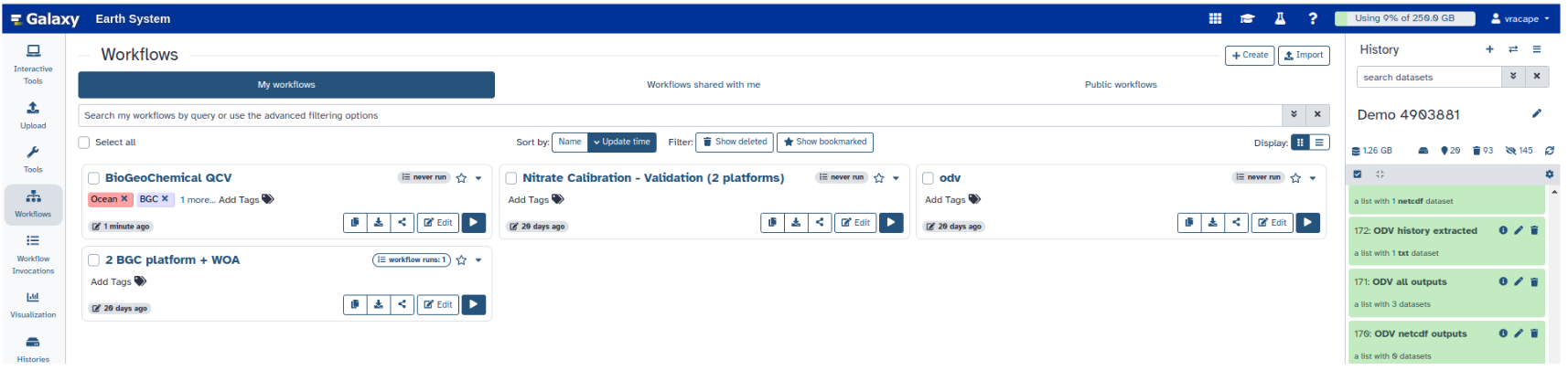
- Click on the workflow name: a pop-up window opens with a preview of the workflow.
- To run it directly: click workflow-run Run (top-right). This will take you to the workflow run form.
- Configure the workflow
- Send results to a new history: if enabled, will send the results to a new history instead of your current active history. You can provide a name for the new history here as well.
- Re-use jobs with identical parameters. This will check if any identical jobs have already been run before, and save compute time and energy by re-using the previous results. Great to use if you previously ran (part of) this workflow on the same data already.
-
Set the workflow parameters (e.g. input data)
-
Recommended: click Import (left of Run) to make your own local copy under Workflows / My Workflows.
- Click on workflow-run Run Workflow in the upper right corner to start the workflow.
- You will now see the workflow invocation page showing the progress of your workflow. This page can always be accessed via galaxy-panelview Workflow invocations on the Activity bar (left-hand menu).
- If you sent the results to a new history, you can view this history by clicking on the galaxy-histories-activity history link in the top left corner of the workflow invocation page.
Persistent URL
Resource purlPURL: https://gxy.io/GTN:F00127Still have questions?
Gitter Chat Support
Galaxy Help Forum