Changing the data type of multiple datasets or collections

 Leonid Kostrykin
This will set the data type for multiple datasets, collections, and the datasets therein. Does not change the datasets themselves.
- Click on galaxy-selector Select Items at the top of the history panel
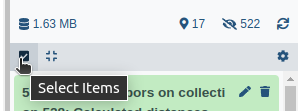
- Check all the datasets and collections in your history you would like to change the data type for
- Click n of N selected and choose Change data type
- In the drop-down field, select your desired data type
- tip: you can start typing the data type into the field to filter the dropdown menu
- Click the OK button
Persistent URL
Resource purlPURL: https://gxy.io/GTN:F00472Still have questions?
Gitter Chat Support
Galaxy Help Forum